> ## Documentation Index
> Fetch the complete documentation index at: https://invoca-5bd45748-mintlify-8d5425ca.mintlify.site/llms.txt
> Use this file to discover all available pages before exploring further.
# Invoca API documentation overview
> Reference for the Invoca REST APIs, including Network Integration, Signal, Call Ingestion, Transactions, Bulk RingPool, Transcript, and SMS Messaging.
[Transactions API](/en/latest/api_documentation/transactions_api/network_user) - provides read-only access to call transaction data.
[Network Integration](/en/latest/api_documentation/network_integration/advertiser_campaigns) - supports the replication and synchronization of advertiser, publisher and campaign data between partner platforms.
[Bulk Ringpool API](/en/latest/api_documentation/bulk_ringpool_api) - allocates a dynamic, trackable promo phone number from a RingPool (designed to handle a high volume of requests per second).
[Signal API](/en/latest/api_documentation/signal_api/index) - used to report signals that occur on a specific call (transaction).
[Call API](/en/latest/api_documentation/call_api/transcript_api) - used to pull transcript information for a specific call (transcript).
[Call Ingestion API](/en/latest/api_documentation/call_ingestion_api/index) - used to ingest calls from external sources for conversation intelligence processing and inclusion in your reports and dashboards.
[Calls In Progress API](/en/latest/api_documentation/calls_in_progress_api/index) - used to interact with pre-call insights for live calls as part of PreSense
The Transactions API and Network Integration API are accessible using the API credentials generated on the platform. See [Manage API Credentials](/en/latest/api_documentation/manage_api_credentials) for more information.
The RingPool and Bulk RingPool APIs are accessible using the API keys provided in the RingPool wizard. (Note: the Bulk RingPool API is only available after being enabled by Customer Success. Submit a case via the [Community Case Portal](https://community.invoca.com/t5/crmsupport/page) to request the Bulk RingPool API.)
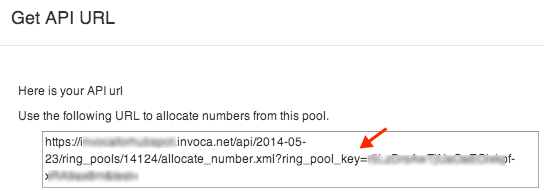
The RingPool wizard includes a section showing the correct API URL for your organization: